
Home / Blog / Best studio monitors for a bedroom studio
Best studio monitors for a bedroom studio
Six options at UK prices from £85 to £338 a pair, why where you put them matters more than which you buy, and what a 5-inch monitor can't do in a small room.
Some links below are affiliate links. We may earn a commission if you sign up or buy through one, at no extra cost to you. See our privacy policy.
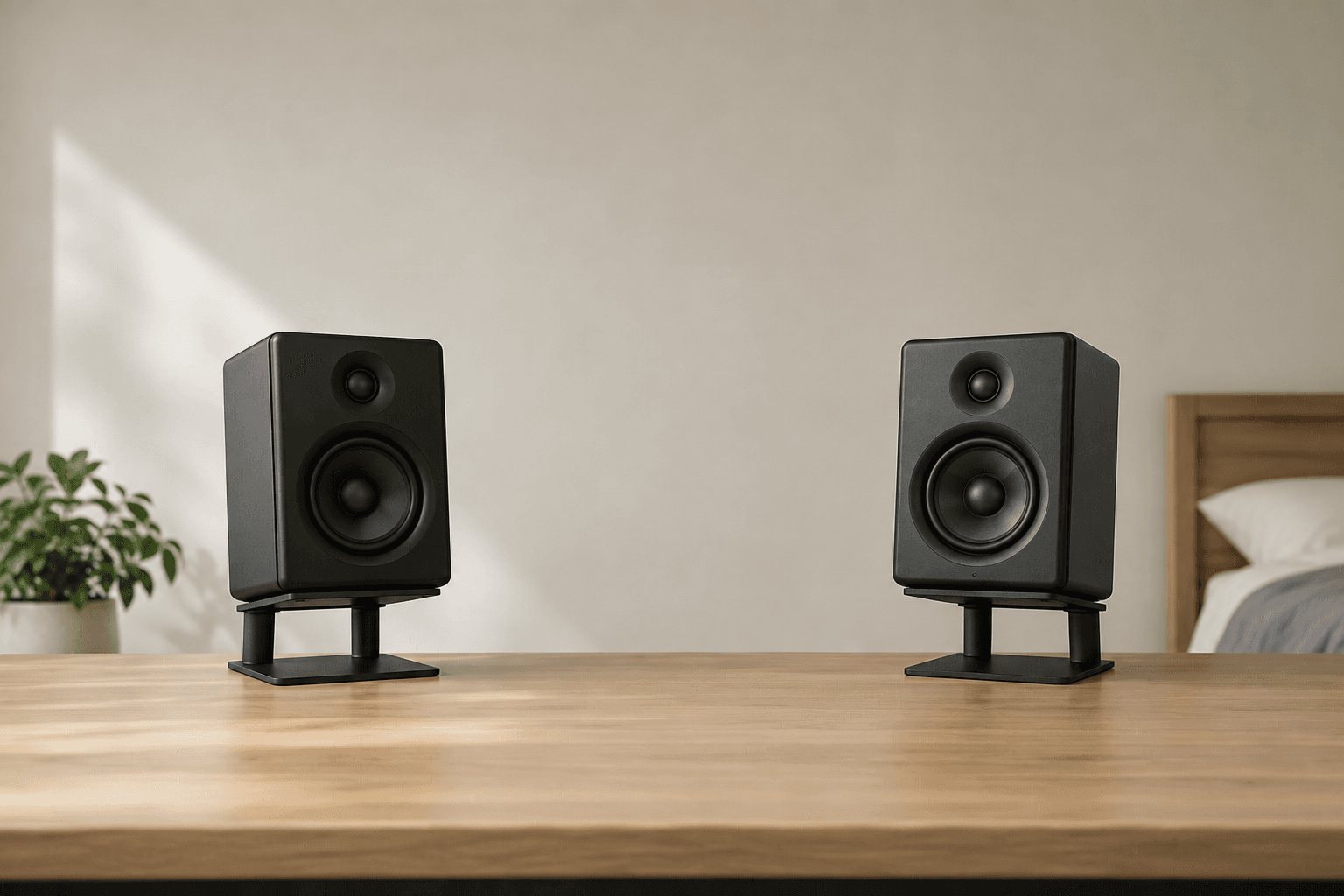
The Yamaha HS5 at £138 each is the default answer, and the JBL 305P MkII at £119 each is the one to buy if money is tight. Before you order either, work out where they are going to sit. A £238 pair on stands at ear height will tell you more about your mix than a £298 pair shoved against a wall behind a laptop screen, and that difference is larger than any difference between the speakers on this page.
Studio monitors are built to be unflattering. A hi-fi speaker is voiced to make music sound good. A nearfield monitor is voiced to make problems audible, so the boomy low end you fix at home stays fixed in someone's car. That's the whole pitch, and it's why the first week with a proper pair is usually a let-down: you can suddenly hear how muddy your old mixes were.
Quick verdict
Most bedroom studios: Yamaha HS5, £138 each. Tight budget: JBL 305P MkII, £119 each. Desk too small for 5-inch boxes: PreSonus Eris 3.5 2nd Gen, £85 the pair. Best treble at the price: ADAM Audio T5V, £149 each. Awkward room you can't rearrange: KRK Rokit RP5 G5, £138 each, for its app-driven correction. Whichever you pick, hold back £25 to £40 of the budget for stands or isolation pads.
Where you put them matters more than which you buy
ADAM Audio's positioning guide gives the rule that catches most bedroom setups out: put the monitors either closer than 0.5m to the wall behind them or further than 1.5m away, and nothing in between. At the in-between distances the reflection off that wall comes back late enough to cancel part of the low midrange, leaving a dip you'll mix around without ever knowing it's there. A desk pushed under a bedroom window sits almost exactly in that dead zone.
The rest is geometry. Your head and the two monitors should make an equilateral triangle, so if the speakers are 1.2m apart, you sit 1.2m from each one. Tweeters go at seated ear height. Both sides of the room should look roughly the same to the speakers, because a wardrobe on the left and a bare window on the right will pull the stereo image sideways no matter what you spent.
Hugh Robjohns, Sound On Sound's technical editor, gives the same advice in blunter form: rigid stands, tweeters roughly level with your ears, speakers mounted symmetrically, back walls preferable to side walls. He also warns against turning monitors on their sides to fit a shelf, which damages both the stereo imaging and the frequency response the cabinet was designed around. ADAM adds one more limit worth knowing in a small room: keep the monitors no more than about a third of the room's width apart, which in a 4m by 5m bedroom means roughly 1.5m and no wider.
If the speakers have to go near a wall, use the compensation switch on the back rather than pretending the problem away. Yamaha's ROOM CONTROL switch cuts the low end by 2dB or 4dB for exactly this situation, and HIGH TRIM lifts or drops everything above 2kHz by 2dB. JBL's rear panel does the same job with a shelf at 50Hz. Kali goes furthest: the LP-6 has eight dip switches, three of them setting boundary compensation for stands, desktops, meter bridges or wall mounting, with separate positions for close to a wall and clear of one.
Before you spend anything
Move your desk away from the corner and off the exact centre of the wall, put the speakers on something rigid at ear height, and listen to two tracks you know well. That costs nothing and changes more than the £30 between two of the monitors below.
The five worth shortlisting
| PreSonus Eris 3.5 2nd Gen | JBL 305P MkII | Yamaha HS5 | KRK Rokit RP5 G5 | ADAM Audio T5V | |
|---|---|---|---|---|---|
| Price | £85 the pair | £119 each | £138 each | £138 each | £149 each |
| Cost for a pair | £85 | £238 | £276 | £276 | £298 |
| Woofer | 3.5in | 5in | 5in | 5in Kevlar | 5in |
| Tweeter | 1in silk dome | 1in soft dome | 1in dome | 1in silk dome | 1.9in U-ART ribbon |
| Amp power | 25W a side | 82W | 70W | 55W | 70W |
| Quoted low end | 80Hz | 49Hz | 54Hz | 54Hz | 45Hz |
| Balanced input | TRS jack | XLR and TRS | XLR and TRS | XLR/jack combo | XLR only |
| Room compensation | Bass and treble, 6dB either way | 50Hz shelf, HF trim | ROOM CONTROL, HIGH TRIM | 25 DSP presets, phone app | Low and high shelf EQ |
Prices are Thomann UK's inc-VAT listings in August 2026. Everything except the PreSonus pair is sold one speaker at a time, which is the detail that catches people out at checkout: the HS5 shows as £138, and you need two of them. Other UK retailers sit within about £15 either way, so it's worth checking two or three.
Yamaha HS5, £138 each
The one most bedroom studios end up with, and Thomann's best-selling active nearfield monitor. A 5-inch woofer and 1-inch tweeter, 70W bi-amped, 54Hz to 30kHz, with balanced XLR and jack inputs and the ROOM CONTROL and HIGH TRIM switches on the back. It has been on sale since May 2013 and has 822 customer ratings behind it at 4.8 out of 5.
Its reputation is for being brutally honest in the mids, which is where vocals, guitars and snares fight each other. The trade-off is the 54Hz figure. In a bedroom that's less limiting than it sounds, because a small room rarely reproduces the bottom octave usefully anyway, but you will be checking sub content on headphones. Buy this one if you want the middle of the road choice and don't want to think about it again.
JBL 305P MkII, £119 each
The cheapest way into real 5-inch monitoring, at £238 the pair. JBL quotes 49Hz to 20kHz at ±3dB, 41W to each driver, 94dB continuous and 108dB peak, with XLR and TRS inputs, an input sensitivity switch for +4dBu or -10dBV, an HF trim of 2dB either way and a boundary EQ shelf at 50Hz offering -1.5dB or -3dB.
The reason to pick it over the Yamaha is the waveguide. JBL's Image Control Waveguide widens the area where the stereo image holds together, which matters in a bedroom where you can't always sit dead centre and where the desk, the door and the bed decide the geometry for you. It goes lower than the HS5 on paper too. The counter-argument is that £238 buys you monitors and nothing else, and the £38 you save against the Yamahas is roughly the price of a pair of desk stands.
ADAM Audio T5V, £149 each
The most expensive of the five and the one with the most distinctive top end. ADAM pairs a 5-inch woofer with a 1.9-inch U-ART ribbon tweeter reaching 25kHz, in a waveguide derived from the company's flagship S Series, with 50W on the woofer and 20W on the tweeter and a quoted range of 45Hz to 25kHz. It launched in 2018, won a MIPA award that year, and now sits second in Thomann's nearfield sales rank with 733 ratings at 4.8 out of 5.
A ribbon tweeter moves far less mass than a dome, and the practical result is that cymbals, reverb tails and sibilance are easier to judge. If you mix acoustic material or spend your time on vocal de-essing, that's worth the extra £60 a pair over the JBLs. Two catches: the only balanced input is XLR, with RCA alongside it for unbalanced sources, and a revealing tweeter in an untreated bedroom can make you chase brightness that is the room's fault rather than the mix's.
KRK Rokit RP5 G5, £138 each
The yellow-coned KRKs have a reputation for a hyped low end, earned by earlier generations and by how many of them ended up next to DJ decks rather than in mix rooms. The G5 answers that with DSP. It carries 25 graphic EQ presets on board, three voicing modes, and a free KRK app for iOS and Android that measures your room with the phone's microphone and recommends a setting. The rest is a 5-inch Kevlar woofer, 1-inch silk dome tweeter, 55W bi-amped, 54Hz to 30kHz, a combo XLR and jack input, a brickwall limiter, and a foam isolation pad in the box.
Buy it if your listening position is fixed by the shape of the room and you need to correct rather than reposition. The app is a genuine advantage at this price, and the included pad saves you £15. If you can put the speakers where they should go, the Yamahas and the JBLs give you a more neutral starting point for the same money.
PreSonus Eris 3.5 2nd Gen, £85 the pair
The odd one out, and the only one here sold as a pair. 3.5-inch woofers, 1-inch silk dome tweeters, 25W a side, and a quoted range of 80Hz to 20kHz. Inputs are balanced TRS and unbalanced RCA, with a 3.5mm aux input and a headphone socket on the front, plus bass and treble controls that move 6dB in either direction. The pair weighs 3.1kg and each cabinet is 210mm tall.
That 80Hz figure is the honest limit. These will not show you the bottom two octaves at all, so kick weight and bass tuning have to be checked elsewhere. What they will do is give you a stereo image, a midrange and a working reference for £85, on a desk where a pair of 5-inch cabinets would sit 20cm from your face. As a first step up from laptop speakers they are a real improvement. As a mixing reference they are a compromise you'll outgrow.
If the budget stretches: Kali Audio LP-6 2nd Wave, £169 each
£338 the pair puts this past the sub-£300 brief, so treat it as the next rung rather than a recommendation. You get a 6.5-inch woofer instead of a 5-inch one, 80W bi-amped, a quoted 39Hz at the bottom, XLR, jack and RCA inputs, and the eight-position dip switch array covering boundary compensation plus low and high frequency trim. The extra inch and a half of driver is where the money goes: 39Hz against the HS5's 54Hz is the difference between hearing a sub bass line and inferring it.
The catch is the room. A 6.5-inch woofer excites low-frequency room modes that a 5-inch woofer never wakes up, so in an untreated square bedroom the bigger speaker can be harder to mix on, not easier. Spend the £338 if you have somewhere to put the monitors properly and can hang something absorbent in the corners. Spend £238 on the JBLs otherwise.
What none of these will do
- Show you the bottom octave. The best low-end figure here is Kali's 39Hz, and every 5-inch model stops between 45Hz and 54Hz. Sub content still needs checking on headphones, in a car, or on a phone speaker.
- Fix the room. Monitors reproduce what they're fed; the walls decide what reaches you. A pair of £300 speakers in a bare 3m by 3m bedroom will sound worse than £150 speakers in a room with a bed, a rug and curtains in it.
- Replace reference checking. Even in a good room, playing a finished mix on a phone, in a car and on earbuds catches things a single pair of speakers hides.
- Improve what goes in. Speakers are the last link in the chain and change nothing about your recordings, as our piece on gear sets out at more length.
The bits nobody budgets for
Monitors need a balanced output to plug into, which in practice means an audio interface with two line outputs; our interface guide covers what to spend there. You'll want two balanced cables, either XLR or TRS jack depending on the speaker, and they are not usually in the box. Budget around £20 for a decent pair.
Then the stands. Getting tweeters to seated ear height and decoupling the cabinet from the desk is the cheapest real improvement available to you. Thomann lists foam isolation pads from about £16 and desktop tilt stand sets from £24.90, with Fluid Audio's DS5 desk stands at £37 and IsoAcoustics' ISO-130 at £89. Floor stands cost more and are better if the room allows them. Pick any of these over spending the same money moving up one model in the table.
Which to buy
- General bedroom production, one pair to keep for years: Yamaha HS5, £276 the pair. Honest mids, well understood, easy to sell on.
- Smallest budget that still counts as monitoring: JBL 305P MkII, £238 the pair, and put the £38 you saved into stands.
- Acoustic or vocal-led material where the top end matters: ADAM Audio T5V, £298 the pair.
- A room you can't rearrange: KRK Rokit RP5 G5, £276 the pair, and run the app before you mix anything.
- A desk with 40cm of clearance: PreSonus Eris 3.5 2nd Gen, £85 the pair, and check bass on headphones.
- Not sure you'll keep producing: buy nothing yet. Headphones you already own plus a habit of checking mixes on three systems will get you further this year than any speaker here.
Do I need studio monitors, or will headphones do?
Headphones will do to start, and plenty of released records were mixed on them. Speakers make stereo width, depth and reverb far easier to judge, because you hear the room and both ears hear both channels. The practical answer for most bedroom producers is to own one decent pair of each and check mixes on both.
Are 5-inch monitors big enough for a small room?
Yes, and often they are the right size. A 5-inch woofer stops between 45Hz and 54Hz, which sounds like a limitation until you remember that an untreated bedroom is unlikely to reproduce below 60Hz accurately anyway. Larger woofers drive room modes harder, so an 8-inch monitor in a 3m square room can be less useful than a 5-inch one.
Why are studio monitors sold one speaker at a time?
Because studios buy odd numbers for surround and multi-room setups. Everything on this list except the PreSonus Eris 3.5 is priced per speaker at Thomann, so double the figure to get what a stereo pair costs. It is the single most common mistake when budgeting.
Can I put monitors on my desk instead of stands?
You can, and most people do. Raise them so the tweeters are at seated ear height, and put something between the cabinet and the desk so the desk isn't turned into a resonator. Foam pads start around £16 and tilt stands around £25. Also expect a reflection off the desk surface between you and the speaker, which is why angling the monitors slightly downwards from above ear height often sounds cleaner than firing them across a flat desktop.
Do I need an audio interface to use studio monitors?
Effectively yes. Active monitors take a balanced line-level signal on XLR or TRS jack, and a computer headphone socket gives you an unbalanced one at the wrong level with the computer's own converters in the way. An interface with two balanced outputs solves both problems; our audio interface guide covers the options.
Should I buy second-hand monitors?
It's reasonable, since the amplifiers and drivers in these last a long time. Play pink noise or a familiar track through both speakers at moderate volume and listen for buzzing or a dead tweeter, check the ports for damage, and confirm both cabinets are the same revision. G4 Rokits and older HS5s both sell cheaply and are close to the current versions.
Do I need to treat my room before buying monitors?
Not before, but the treatment usually pays back more per pound than the speaker upgrade does. Position the monitors correctly first, since that costs nothing, then deal with the first reflection points and the corners. Money spent on absorption in a bare room does more for what you hear than the £60 between the JBLs and the ADAMs.
Sources
Every price and fact above traces to a school or platform's own site, dated on its own listing page. See the methodology for how that works.
- Thomann UK: Yamaha HS 5
- Thomann UK: ADAM Audio T5V
- Thomann UK: KRK Rokit RP5 G5
- Thomann UK: Presonus Eris 3.5 2nd Gen
- Thomann UK: Kali Audio LP-6 2nd Wave
- JBL Professional: 305P MkII specifications
- ADAM Audio: How to position studio monitors in your room
- Sound On Sound: Q. Where should I put my monitors? (Hugh Robjohns)
- ADAM Audio: T5V product page
- Yamaha: HS Series owner's manual
- Kali Audio: LP-6 user manual (Boundary EQ dip switches)