
Home / Blog / Ableton Push 3 vs a mouse and a MIDI keyboard: does hardware make you faster
Ableton Push 3 vs a mouse and a MIDI keyboard: does hardware make you faster
Push 3 costs £879 as a controller and £1,299 standalone. A £77 keyboard covers most note entry. Where the grid saves time, and where the mouse still wins.
Some links below are affiliate links. We may earn a commission if you sign up or buy through one, at no extra cost to you. See our privacy policy.
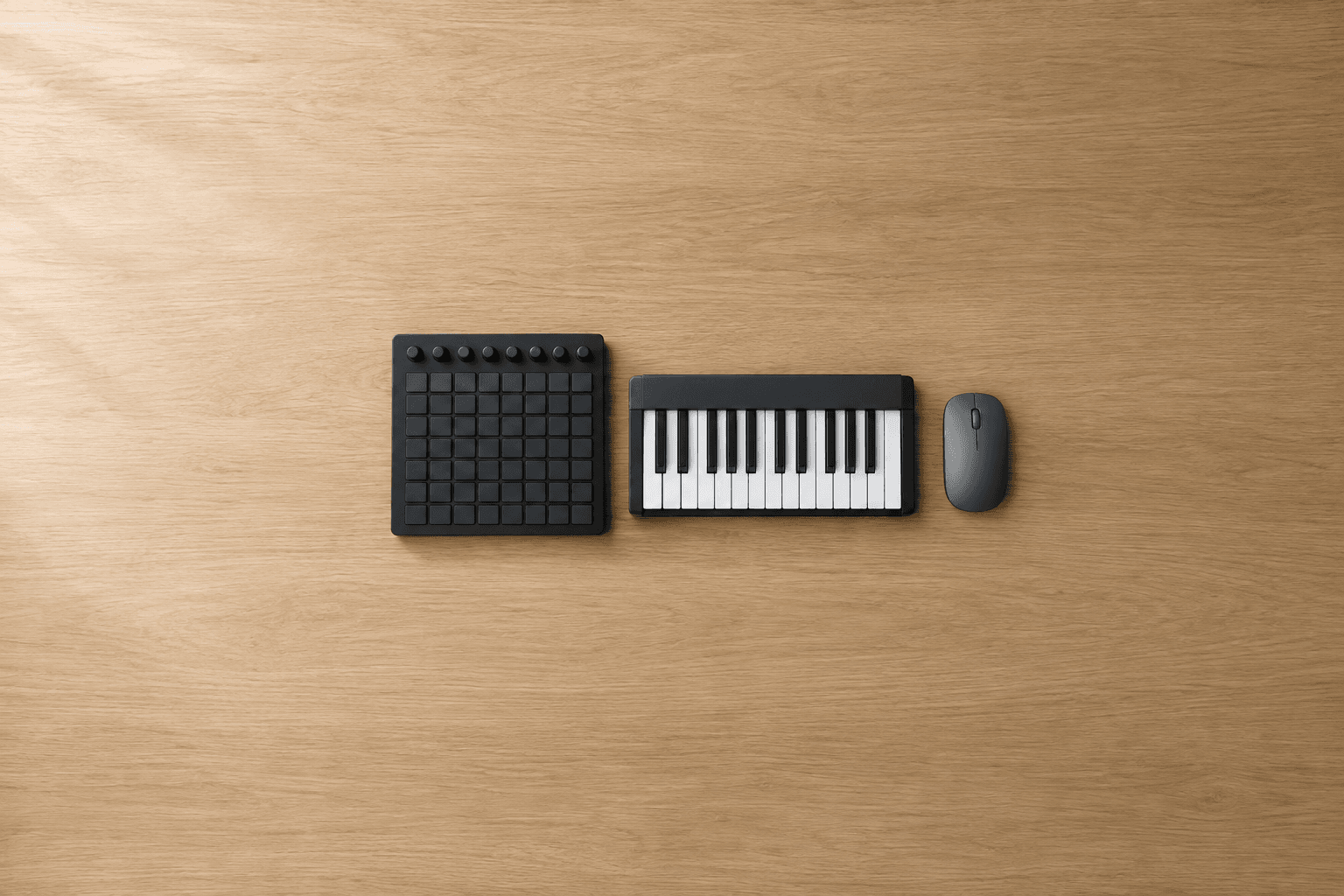
For most people reading this, no. A mouse and a £77 MIDI keyboard do everything Push 3 does except the performance side, and Push 3 costs £879 as a controller or £1,299 as a standalone unit from Ableton's own shop. Hardware makes you faster at the parts of a track you play by hand: drums, basslines, clip launching and tweaking a sound while it loops. It does very little for editing and arranging, which is where most of the hours go.
There is a second reason to wait. Push 3 is built for Ableton Live and sold as Live's instrument. If you have not settled on a DAW yet, a £900 controller that only fully works in one of them is the wrong first purchase.
Quick verdict
Still choosing a DAW, or in your first year: a mouse plus the Arturia MiniLab 3 at £77. Committed to Live and want a Session View grid under your fingers: the Novation Launchkey Mini 25 MK4 at £95. Committed to Live, playing live or finger drumming every day: Push 3 as a controller, £819 to £879. Standalone Push 3 is for people who want to leave the laptop at home, and it does not replace the laptop for finishing tracks.
What each option costs
| Price | Pads | Keys | Works without a computer | DAW | |
|---|---|---|---|---|---|
| Mouse and piano roll | £0 | None | None | No | Any |
| Arturia MiniLab 3 | £77 | 8 | 25 slim | No | Any |
| Novation Launchkey Mini 25 MK4 | £95 | 16 | 25 mini | No | Any, with deepest scripts for Live |
| Ableton Move | £419 | 32 | None | Yes | Live only |
| Push 3 (controller) | £819 to £879 | 64, MPE | None | No | Live |
| Push 3 Standalone | £1,299 to £1,639 | 64, MPE | None | Yes | Live |
Prices were checked on 21 September 2026. The MiniLab 3, Launchkey Mini and controller Push 3 figures are Thomann UK's listings, with Push 3 at £879 direct from Ableton. The standalone spread is wide: Ableton sells it for £1,299 and Thomann UK lists it at £1,639, so buy that one direct. Move is £419 on Ableton's shop, down from £488 at the time of checking.
Every Push 3 comes with Live 12 Intro, which is capped at 16 tracks. If you do not already own a full licence, add Live 12 Standard at £259 or Suite at £539 to the real cost. Our Standard vs Suite comparison covers which of the two you need.
Where hardware saves time
Anything you would otherwise click in one note at a time. Drawing a hi-hat pattern with a mouse means placing each hit and then going back to vary the velocities. Tapping it on pads records timing and velocity in one pass, and on Push 3 the pads also read pressure and finger position, so a held note can bend or open a filter as you play it. Sound On Sound's review singled out this MPE grid as the headline change over Push 2.
Sound design is the second case. Eight encoders above the grid map to whatever device is selected, so you can turn a filter and a decay at the same time while the loop plays. With a mouse you move one parameter at a time, and you have to find it on screen first.
The third is Session View. Push lays clips out on the grid and uses its screen for launching, which Sound On Sound noted frees the pads for playing. If you build tracks by jamming loops and recording scene changes live, this is the job Push was designed around, and the Session View history in our FL Studio vs Ableton piece explains why Ableton built dedicated hardware for it.
A cheap controller covers a good share of the first case. The MiniLab 3 and Launchkey Mini both have velocity-sensitive pads and eight encoders, and they record a drum pattern in one pass just as Push does. What they lack is the 8x8 grid, MPE, a screen that shows device parameters, and the depth of Live integration. Our MIDI keyboard guide compares the budget options in detail.
Where the mouse is still faster
- Arranging. Moving sections, duplicating choruses and building an eight-minute track happens in Arrangement View, and that is a screen job. On standalone Push 3 it is not available at all: Ableton's technical FAQ says Arrangement View is not supported in Standalone Mode, and sets with an arrangement will play back but cannot be edited.
- Editing notes. Fixing one wrong note, quantising a phrase or nudging a group of notes is quicker in the piano roll. Sound On Sound found selecting ranges of notes less efficient on Push than on the desktop.
- Drawing automation. Envelopes over many bars are easier to draw than to record by hand, and easier to correct.
- Mixing. A mixer on screen shows every channel at once. Push shows eight at a time.
Put simply, hardware speeds up generating ideas and slows down nothing, while the finishing work stays on the computer either way. That is why the controller Push 3 and the standalone one feel the same in the studio: once the laptop is open, you are using it for the second half of the track regardless.
The DAW lock-in
Ableton sells Push as made for Live, and nothing on its product pages mentions other DAWs. In another DAW it shows up as a generic MIDI device, with pad notes and knob data but a blank screen and none of the layouts that make it useful. The community-built DrivenByMoss extension gives it proper support in Bitwig and Reaper, which is worth knowing if you use either, but it is unofficial and Ableton does not support it.
A class-compliant keyboard such as the MiniLab 3 works in every DAW, and so does the Launchkey Mini, which ships with scripts for Logic, Cubase, FL Studio and others alongside Live. If you might switch DAWs in the next year, those two keep their value and Push loses most of it. Settle the software first; our DAW guide is the place to do that.
Standalone Push 3: what the extra £420 buys
Direct from Ableton, the gap between the controller and the standalone Push 3 is £420. It buys an Intel Core i3 processor with 8GB of RAM, a 256GB SSD and a battery Ableton rates at up to 2.5 hours, so Live runs on the unit itself with no computer attached. Push 3 also has a built-in audio interface in both versions, which cuts into the price gap if you would otherwise buy one.
The limits are firm. Ableton's FAQ says standalone Push 3 does not run VST or AU plugins, so any third-party synth in a set has to be frozen to audio first. Most Ableton-built Max for Live devices do work, with some exceptions set out in our Max for Live explainer. MusicRadar measured the processor at roughly half the capacity of a modern MacBook, and concluded that the standalone model earns its price mainly for live performers.
You can also start with the controller and upgrade later. The Push Upgrade Kit adds the processor, SSD, battery and heatsink, and Ableton says fitting it takes no more than 30 minutes. Thomann lists it at £859, which puts the two-step route well above buying standalone from Ableton at the start. Only upgrade if the need turns up after you have bought the controller.
The middle option: Ableton Move
If what draws you to standalone Push is making beats away from the desk, Ableton Move does that for £419. It has 32 velocity-sensitive pads, a battery rated at up to four hours, a built-in microphone and speaker, and four tracks. Projects open in Live on a computer afterwards, and it comes with Live 12 Intro like Push. It is a sketchpad, far smaller in scope than Push, but for starting ideas on a train it costs a third of the standalone price.
Which to buy
- Still choosing a DAW, or new to production: no Push. A mouse and a MiniLab 3 at £77. The mouse alone is enough to finish tracks, as our piece on gear argues.
- On Live and want the Session View grid cheaply: Launchkey Mini 25 MK4, £95.
- On Live, finger drumming or playing live every week: Push 3 controller, £819 at Thomann or £879 direct.
- Want to make music with the laptop shut: Move at £419 for sketches, standalone Push 3 at £1,299 direct if you need a full Session View set and have the money.
Does Push 3 make you a faster producer?
At the parts you play by hand, yes: drum patterns, basslines, clip launching and adjusting sounds while they loop. Arranging, note editing, automation and mixing stay quicker with a mouse, and those take up most of the time on a finished track.
Can I use Push 3 with FL Studio, Logic or Bitwig?
Only in a limited way. Ableton designs and supports Push for Live. In other DAWs it can send basic MIDI from the pads and knobs, and the unofficial DrivenByMoss extension adds deeper support in Bitwig and Reaper. Logic and FL Studio users are better served by a controller with official scripts for their DAW.
Does Ableton still sell the controller-only Push 3?
Yes. Ableton's shop lists Push at £879 as a controller and £1,299 as a standalone unit, and Thomann UK had the controller at £819 on 21 September 2026. The controller can be converted to standalone later with the Upgrade Kit, which Thomann lists at £859.
Can standalone Push 3 run my plugins?
No. Ableton's technical FAQ says VST and AU plugins do not run in Standalone Mode. Native Live devices and most Ableton-built Max for Live devices do, and you can freeze a plugin track to audio on the computer before moving the set across.
Is Push 3 a good first controller?
Usually not. It costs more than ten times a MiniLab 3, it only fully works in Live, and it ships with Live 12 Intro, so a full licence is extra. Buy it once you know you are staying with Live and you have found that playing parts by hand is how you work.
Does Push 3 replace an audio interface?
Partly. Both versions have a built-in audio interface, and Thomann lists two line inputs, two line outputs and a headphone output. Line inputs suit synths and drum machines but have no microphone preamp, so recording vocals still needs a separate interface. Our audio interface guide covers what to buy for that.
Sources
Every price and fact above traces to a school or platform's own site, dated on its own listing page. See the methodology for how that works.
- Ableton: Buy Push
- Ableton: Push overview
- Ableton: Push Upgrade Kit
- Ableton Help Center: Push 3 Technical FAQ
- Ableton: Buy Live 12
- Ableton: Buy Move
- Thomann UK: Ableton Push 3
- Thomann UK: Ableton Push 3 Standalone
- Thomann UK: Ableton Push 3 Upgrade Kit
- Thomann UK: Arturia MiniLab 3 Black
- Thomann UK: Novation Launchkey Mini 25 MK4
- Sound On Sound: Ableton Push 3 review
- MusicRadar: Ableton Push 3 review
- DrivenByMoss documentation: Ableton Push